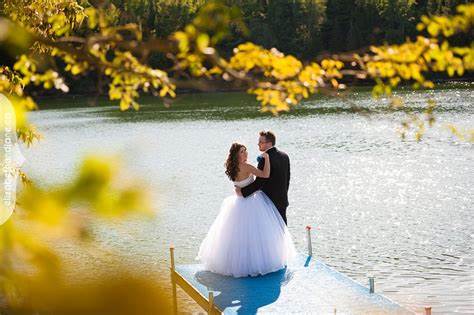

How to color blur the picture using Photoshop
In this Tutorial you will learn how to color blur the picture using Photoshop.
Step 1: Open any photograph in Photoshop.

Step 2: Go to the Layer Palette and right click on the Background Layer to make a duplicate copy of it. This new Layer will be used to do all the manipulations.


Step 3: Chose the Hue/Saturation option from the Image Menu or use the shortcut key Ctrl + U.

Check the colorize option in the Hue/Saturation Dialog Box and then move the Hue, Saturation and Lightness slider to any value.


Step 4: Now select the Overlay option in the Blending Mode Menu in the Layer Palette.

Here is the Final Image.


October 3rd, 2008 at 10:45 pm
Good post, simply and fast.
Nilos last blog post..Animals Rule The World
October 18th, 2008 at 9:58 pm
Cool! ^_^ THNX
April 2nd, 2009 at 11:41 am
I think I prefer the color of the sea in the original photo
. Thanks for this quick PS trick.
July 7th, 2009 at 10:28 pm
Hello, I dont know how i found your blog, But your blog looks good. Have a nice day.